|
|
|
SUMMARY
|
|
|
Pathways Pointers is a short, practical series designed to help Toastmasters
understand and navigate the 2025 Pathways Enhancements with confidence. Each pointer
highlights what’s new, explains why it matters, and offers a simple
helpful tip you can use right away. Whether you’re a new member, a seasoned
Toastmaster, or a club officer supporting others, these bite-sized updates make it easier
to progress through your Path while strengthening your club.
|
|
|
|
|
Click the Topic Title or the Graphic for Details |
|
↓↓↓↓↓↓↓↓↓↓ |
|
↓↓↓↓↓↓↓↓↓↓ |
|
64 |
September 15, 2026 |
|
|
|
|
|
|
|
 |
|
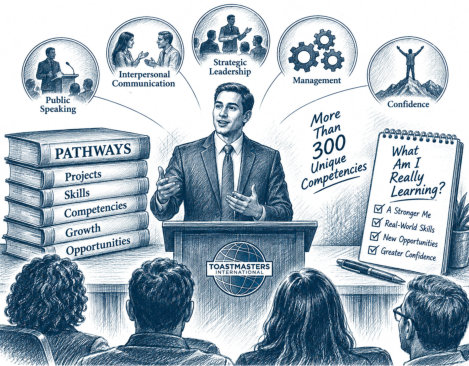
Why It’s Important?
It is easy to measure Pathways
progress by the number of speeches, projects, levels, or Paths
we complete. But those are measures of completion, not
necessarily measures of growth. The real value of a Pathways
project is the skill you develop while completing it. When you
understand the competencies behind a project, you can practice
those skills more intentionally—and recognize how they can be
applied beyond Toastmasters. A competency developed while
preparing one speech may help you lead a meeting, handle a
difficult conversation, mentor someone, ma
Helpful Tip
Before beginning your next Pathways
project, take a moment to look beyond the speech assignment.
Ask yourself: “What competency do I want to strengthen through
this project?” Choose one skill and make it your personal
learning goal for the project. Then, after you give the
speech, don't just ask, “Did I complete the project?” Ask:
“What can I do better now than I could before?” That simple
question shifts the focus from checking off a project to
building a skill you can use.nage a project, work more
effectively with a team, or communicate with greater
confidence. Pathways isn't just about becoming a better
speaker. It's about becoming more capable.
|
|
63 |
September 14, 2026 |
|
|
|
|
|
|
|
 |
|
Why It’s Important?
Leadership skills are not developed
simply by holding a leadership position. They are developed
when we are challenged to use them. Problems give us
opportunities to practice decision-making, communication,
adaptability, conflict resolution, problem-solving, and
resilience in real situations. Those experiences can also
become valuable Pathways opportunities. A challenge you face
while leading a club, team, project, or event may provide
exactly the real-world experience you need for a Pathways
project—or become the story and lesson behind your next
speech. Problems don't just test the leader you are. They help
develop the leader you are becoming.
Helpful Tip
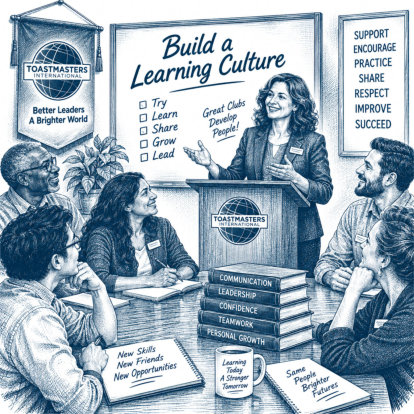
At your next officer meeting, ask one
simple question: “What are we doing to help our members
learn?” Don't limit the discussion to speeches. Consider
evaluations, meeting roles, mentoring, Table Topics,
educational presentations, Pathways projects, officer
responsibilities, contests, special events, and informal
conversations between members. Almost everything that happens
in a Toastmasters club can become a learning opportunity.
|
|
62 |
September 14, 2026 |
|
|
|
|
|
|
|
 |
|
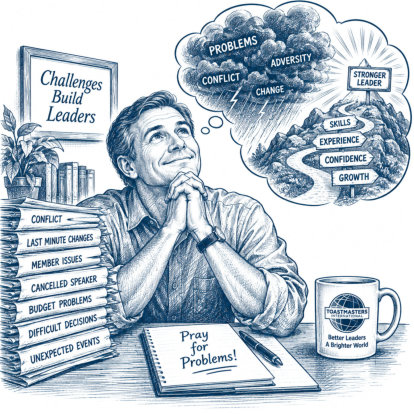
Why It’s Important?
Leadership skills are not developed
simply by holding a leadership position. They are developed
when we are challenged to use them. Problems give us
opportunities to practice decision-making, communication,
adaptability, conflict resolution, problem-solving, and
resilience in real situations. Those experiences can also
become valuable Pathways opportunities. A challenge you face
while leading a club, team, project, or event may provide
exactly the real-world experience you need for a Pathways
project—or become the story and lesson behind your next
speech. Problems don't just test the leader you are. They help
develop the leader you are becoming.
Helpful Tip
The next time something goes wrong,
before immediately jumping into solution mode, ask yourself:
“What leadership skill is this problem giving me the
opportunity to develop?” After the problem is resolved, take
five minutes to think about what happened, what worked, what
you might do differently, and what you learned. That short
reflection can turn an unpleasant experience into a valuable
leadership lesson.
|
|
61 |
September 12, 2026 |
|
|
|
|
|
|
|
 |
|
Why It’s Important?
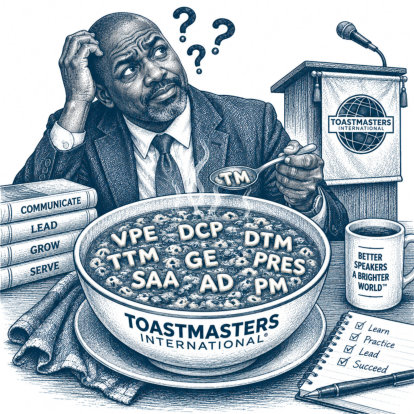
Toastmasters uses many acronyms
and abbreviations, and understanding the ones you encounter
can make the organization—and Pathways—much easier to
navigate. Knowing what terms such as VPE,
DCP, DTM, PM3, or EH5 mean helps you
understand meeting roles, educational achievements, member
profiles, and your own progress. You don’t need to memorize
them all, but learning the language of Toastmasters helps you
feel more informed, involved, and confident.
Helpful Tip
Don’t let the alphabet soup intimidate
you! You don’t need to memorize every Toastmasters acronym.
Start with the ones you hear most often in your club, and ask
whenever you encounter one you don’t recognize. Before long,
VPE, TTM, DCP, DTM, and all those other letters will become
second nature.
|
|
60 |
September 12, 2026 |
|
|
|
|
|
|
|
 |
|
Why It’s Important
Recognition is an important part
of your Pathways journey. Badges, certificates, employer
recognition letters, and the Proficient
designation do more than mark completed projects and
levels—they provide a record of your progress and celebrate
the skills you have developed along the way. Taking time to
recognize each achievement can build confidence, reinforce
your sense of accomplishment, and motivate you to keep moving
forward.
Helpful Tip
After
completing a level, take a moment to celebrate before moving
on. Check Base Camp for your badge or certificate, save or
print your recognition, and make sure your achievement has
been recorded. If you completed
Level 3, 4, or 5,
consider requesting an employer recognition letter.
You earned it—celebrate it!
|
|
59 |
September 10, 2026 |
|
|
|
|
|
|
|
 |
|
Why It’s Important
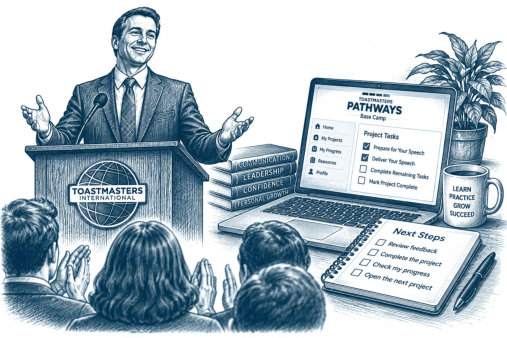
Giving your speech is
an important milestone, but it doesn’t always mean
your Pathways project
is complete. Reviewing
your feedback, completing any remaining project steps, and
checking your progress in Base Camp help ensure
your work is fully recorded. Identifying your next step also
keeps your momentum going from one project to the next.
Helpful Tip
After
completing a project, follow
this simple routine:
Give the Speech → Review
the Feedback → Complete the Project → Check Your Progress →
Open the Next Project
Then ask yourself:
“What is my next
Pathways action?”
Write it down or put it on your
calendar. A clear next step helps turn one completed speech
into continued progress.
|
| 58 |
September 6, 2026 |
|
|
|
|
|
|
|
 |
|
Why It’s Important
A good speech does not automatically
mean you have achieved the purpose of a Pathways project. Each
project is designed to help you develop a specific
communication or leadership skill. Understanding the project
objective—and building your speech around it—helps turn every
presentation into a deliberate opportunity to learn, practice,
and improve.
Helpful Tip
Before choosing your topic or writing your speech, read the
project
instructions and evaluation criteria.
Ask yourself:
“What skill is this
project asking me to practice?”
Then choose or shape your speech
so that skill becomes a deliberate part of your presentation.
Remember: The topic is what you
talk about. The objective is what you are learning.
|
| 57 |
September 3, 2026 |
|
|
|
|
|
|
|
 |
|
Why It’s Important
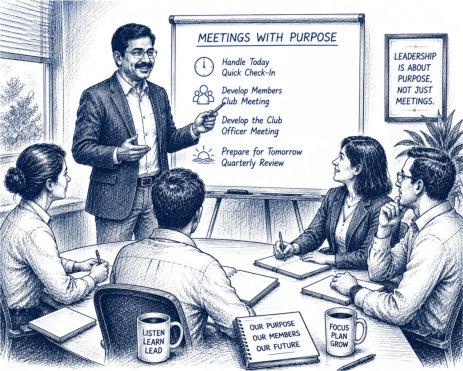
Not every meeting serves the
same purpose. Choosing the right type of meeting helps members
use their time effectively and keeps the group focused on the
result it needs to achieve. A quick check-in can address
immediate needs, a club meeting develops members, an officer
meeting strengthens club operations, and a strategic review
helps prepare for the future. The right
meeting, with a clear purpose, leads to better results.
Helpful Tip
Before scheduling your next meeting, complete this sentence:
“By the end of this
meeting, we need to __________________.”
If you cannot easily fill in the
blank, you may not need the meeting—or you may not yet have
determined its purpose.
Choose the right meeting for the
job.
|
| 56 |
September 1, 2026 |
|
|
|
|
|
|
|
 |
|
Why It’s Important
Making progress in Pathways
doesn’t require hours at a time. Breaking a project into
short, focused sessions makes it easier to get started,
reduces the temptation to put it off, and helps you maintain
momentum. Even 15 minutes can move you
one step closer to completing your next project.
Helpful Tip
Before ending each 15-minute session, write down
one specific
next action.
When you return to Pathways,
you’ll know exactly where to begin instead of spending
valuable time deciding what to do next.
Small steps add up to real
progress.
|
| 55 |
August 31, 2026 |
|
|
|
|
|
|
|
 |
|
Why It’s Important
A strong speech is easier to
write when you know where you’re going before you begin. The
Ice Breaker Speech Outline Worksheet
provides a simple structure for organizing your ideas,
creating a logical flow, and keeping your message focused.
Although designed for the Ice Breaker, the same approach can
help you plan almost any Toastmasters speech.
Helpful Tip
Before writing your speech, complete the worksheet using
brief
phrases rather than full sentences.
Focus first on organizing your ideas—then turn those ideas
into your speech.
Outline first. Write second. Speak
with confidence.
|
| 54 |
August 29, 2026 |
|
|
|
|
|
|
|
 |
|
What's New?
The enhanced Pathways experience
encourages members to speak authentically rather than trying
to impress their audience. The Ice Breaker is no longer viewed
as simply a first speech—it is the beginning of your
communication journey. Rather than worrying about perfection,
the focus is on discovering your own voice, building
confidence, and becoming comfortable speaking before an
audience. Remember, every experienced Toastmaster once stood
where you are today. Your fellow members are not expecting
perfection—they're excited to get to know you. Helpful
Tip
Don't try to tell your entire life
story. Instead, choose two or three meaningful experiences
that helped shape who you are. Stories create a stronger
connection than a long list of facts and are much easier for
your audience to remember. Most importantly, be yourself. The
goal of the Ice Breaker isn't to impress your audience. It's
to introduce the person they'll be watching grow throughout
your Toastmasters journey.
|
| 53 |
August 15, 2026 |
|
|
|
|
|
|
|
 |
|
WHAT’S NEW
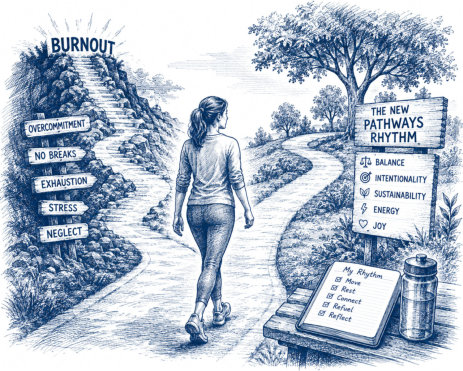
Enhanced Pathways now gives
members a clearer, more predictable way to stay active without
feeling overwhelmed. The 2025 Enhancements introduced a
natural cycle of speeches, meeting roles, Explorations, and
Education Series presentations that keeps momentum steady
while reducing the stress of deciding what to do next.
Members no longer need to guess
their next step. The new rhythm creates a simple pattern that
helps members stay engaged, build confidence, and make
progress at a comfortable pace.
HELPFUL TIP
Before you finish any project,
choose your next speech date and your next meeting
role. This tiny habit prevents long
pauses, keeps your Path moving forward, and makes the new
rhythm feel effortless. You don’t need a complicated plan —
just the next clear step.
|
| 52 |
August 9, 2026 |
|
|
|
|
|
|
|
 |
|
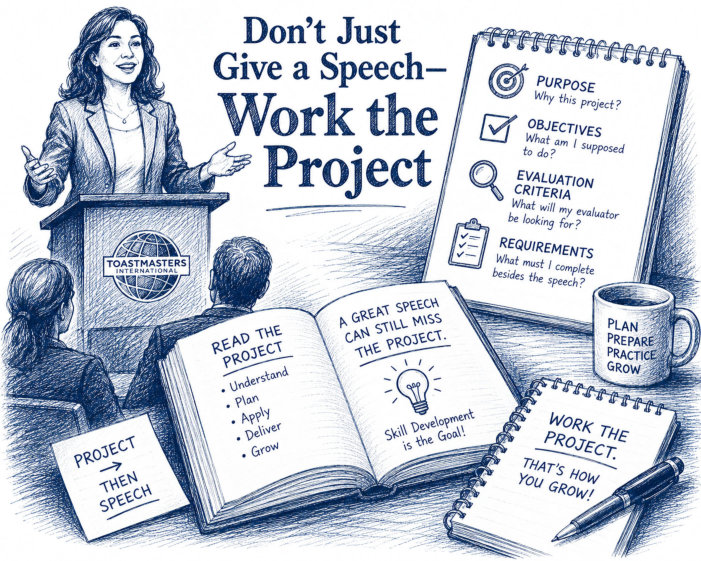
What’s New?
Pathways projects are more than speech
assignments. Each project is designed around a specific
learning purpose, objectives, requirements, and evaluation
criteria. The goal is not simply to deliver another speech—it
is to practice and demonstrate the skills the project was
designed to develop.
Helpful Tip
Read the project before you write the
speech. Before choosing your topic or preparing your
presentation.
|
| 51 |
Augus 1, 2026 |
|
|
|
|
|
|
|
 |
|
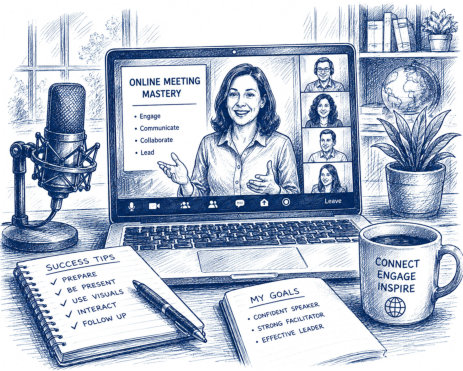
What's New?
The first Exploration is Online Meeting Mastery. It reflects
the growing importance of virtual and hybrid communication in
Toastmasters, business, education, and community
organizations.
Helpful Tip :
Do not think of Explorations as another path. Think of them as
skill boosters—a quicker way to strengthen one important
communication or leadership skill while continuing your
current Pathways path.
|
| 50 |
July 29, 2026 |
|
|
|
|
|
|
|
 |
|
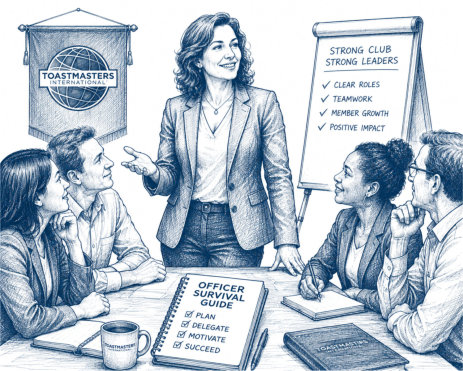
What's New?
This compact leadership resource brings proven club-officer
guidance into one convenient collection. It is designed to
help both new and experienced officers understand their
responsibilities, build stronger teams, and protect their own
energy throughout the year.
Helpful Tip :
Do not wait until you feel overwhelmed to look for support.
Choose one chapter that addresses your most immediate
challenge and discuss.
|
| 49 |
July 29, 2026 |
|
|
|
|
|
|
|
 |
|
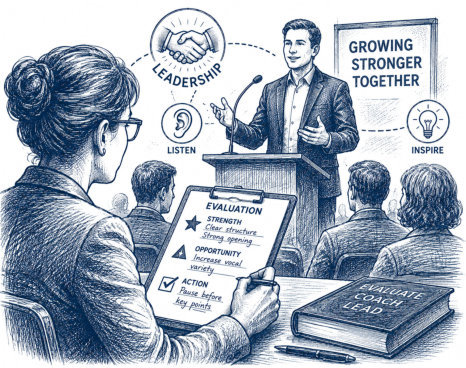
What's New?
The enhanced Pathways experience places greater emphasis on
leadership development alongside communication development.
Every evaluation provides an opportunity to practice
observation, active listening, critical thinking,
organization, empathy, coaching, and leadership. These skills
can be used in Toastmasters meetings, the workplace, volunteer
organizations, and everyday conversations.
Helpful Tip
Treat every evaluation as though you are coaching a future
champion. Your goal is not to point out every possible
weakness. Your goal is to help the speaker take one meaningful
step forward.
|
| 48 |
July 25, 2026 |
|
|
|
|
|
|
|
 |
|
What’s New?
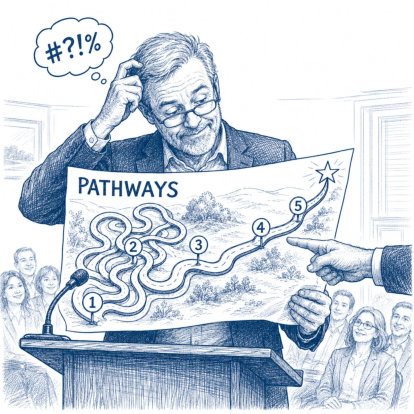
The 2025 Pathways enhancements
provide a clearer learning experience. Projects are organized
to help members build their skills gradually, and the updated
requirements include meeting roles and presentations from the
Toastmasters Education Series.
Helpful Tip
Do not wait until the end of a
level to discover what you missed. When you begin each level,
review all its requirements—including speeches, meeting roles,
and Education Series presentations. Record them on your
Pathways Goal Sheet and schedule required roles early. A
little planning now can prevent a great deal of frustration
later.
|
| 47 |
July 9, 2026 |
|
|
|
 |
|
What's New?
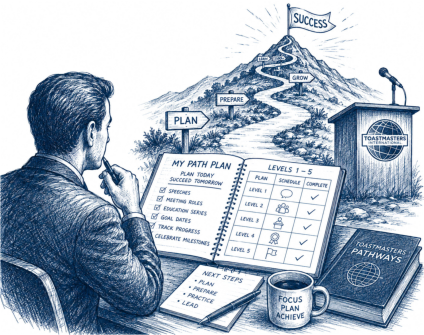
The Pathways Goal Sheet has been completely updated to include
every requirement from Level 1 through Level 5, including the
2025 Pathways Enhancements. It now tracks required meeting
roles, Education Series presentations, goal dates, completion
dates, and provides a clear roadmap so members always know
what comes next.
Helpful Tip
Don't wait until the end of a level to
discover what's missing. As soon as you begin a Path, review
every requirement from Level 1 through Level 5 and schedule
required meeting roles well in advance. A little planning
today can prevent weeks—or even months—of unnecessary delays
later.
|
| 46 |
July 1, 2026 |
|
Turn Every Pathways Pointer into a Speech
|
|
|
|
|
|
 |
|
What’s New?
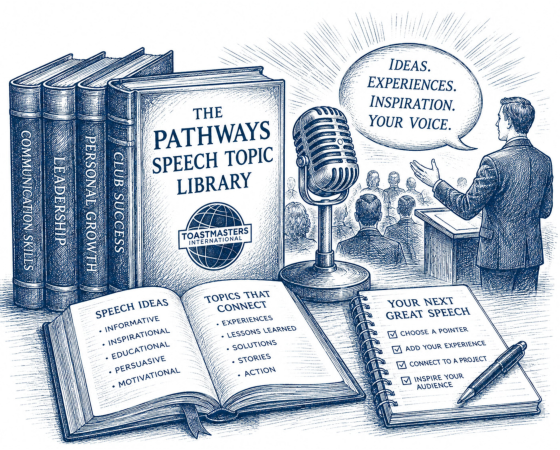
Enhanced Pathways gives members many ways to grow through
speeches, meeting roles, mentoring, leadership activities, and
Education Series presentations.
That variety is valuable, but it can also leave members
wondering what topic to choose next. Pathways Pointers can
help solve that problem by turning practical Pathways guidance
into ready-made speech ideas.
Helpful Tip
Before looking outside Toastmasters for a speech topic, browse
the Pathways Pointer Index.
Choose one Pointer that interests you, helped you, confused
you, or made you think. Then ask: What lesson does this topic
teach? What personal experience can I add? What action do I
want my audience to take?
|
| 45 |
June 23, 2026 |
|
One Website Every Toastmaster Should
Bookmark
|
|
|
|
|
|
 |
|
What’s New?
Sometimes the best Pathways tip is not a new rule, a new
shortcut, or a hidden feature. Sometimes the best tip is
knowing where to find help when you need it.
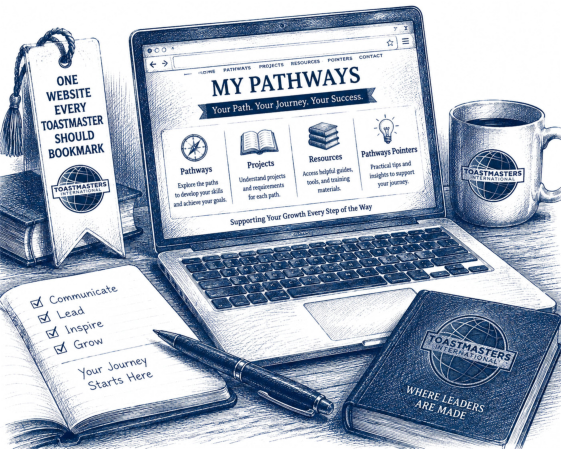
The My Pathways website brings together Pathways information,
explanations, checklists, examples, and resources in one
easy-to-use location.
Helpful Tip
Before sending a question, delaying a project, or wondering
what to do next, take a few minutes to check My Pathways.
The answer may already be there, waiting for you.
Remember: Good information is only helpful when members know
where to find it.
|
| 44 |
June 16, 2026 |
|
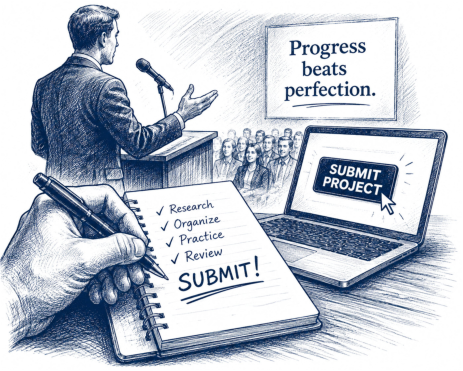
Don't Wait for Perfect — Submit the Project
|
|
|
|
|
|
 |
|
What's New?
Many members delay completing a project because they
want it to be perfect. But Pathways is about learning and
growing, not creating a flawless speech. Complete the project,
learn from the experience, and move on to the next challenge.
Helpful Tip
If you've met the project objectives and are reasonably
prepared, go for it! The feedback you receive after delivering
the project is often more valuable than the extra time spent
trying to make it perfect.
|
| 43 |
May 30, 2026 |
|
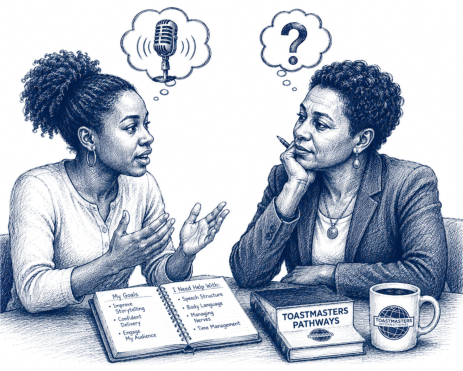
Your Mentor Cannot Read Your Mind
|
|
|
|
|
|
 |
|
What’s New
Enhanced Pathways gives members more ways to grow through
speeches, meeting roles, leadership activities, and Education
Series presentations.
That variety is helpful, but it also means members may need
more guidance choosing what to do next. A mentor can help —
but only when the member shares questions, goals, concerns,
and progress.
Helpful Tip
Bring one question to every mentor conversation.
It does not have to be complicated. Ask about your next
project, your next speech, your evaluation, your meeting role,
or how to use feedback from your last assignment. One question
can turn a short conversation into real progress.
|
|
|
|
|
| 42 |
May 25, 2026 |
|
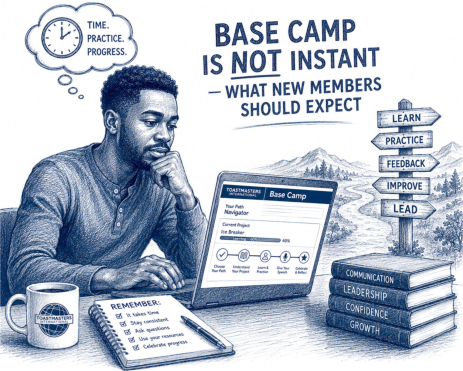
Base Camp Is Not Instant — What New Members Should Expect
|
|
|
|
|
|
 |
|
What’s New
Even with the Enhanced Pathways system, there is still a
processing delay between selecting a path and having that path
appear in Base Camp.
For many members, the process may happen fairly quickly. For
others, it can take several hours — and sometimes up to 24
hours — before the path becomes available.
This delay does not usually mean something is wrong. The
system often simply needs time to finish processing the
enrollment.
Helpful Tip
Schedule your second speech before delivering your first one.
Members who already have a next date are far more likely to
stay active and continue progressing. The goal is not to rush.
The goal is to make the next step clear before momentum fades.
|
|
|
|
|
| 41 |
May 22, 2026 |
|
Why Your Second Speech Matters More Than Your First
|
|
|
|
|
|
 |
|
What’s New
Enhanced Pathways encourages steady participation and visible
progress. Growth happens through continued engagement — not
just completing the Ice Breaker.
The first speech starts the journey.
The second speech helps create momentum. It tells the member,
“I can do this again,” and turns Pathways from a one-time
accomplishment into an ongoing learning habit.
Helpful Tip
Schedule your second speech before delivering your first one.
Members who already have a next date are far more likely to
stay active and continue progressing. The goal is not to rush.
The goal is to make the next step clear before momentum fades.
|
|
|
|
|
| 40 |
May 10, 2026 |
|
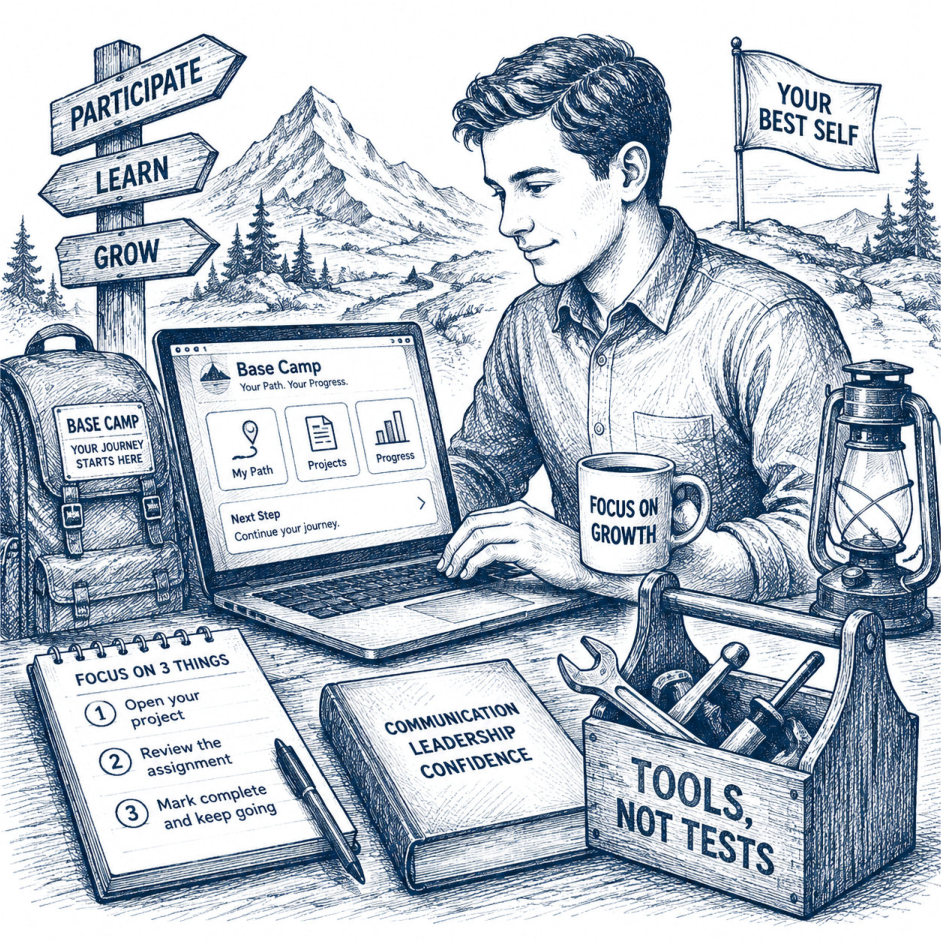
Base Camp Is a Tool — Not a Test |
|
|
|
|
|
 |
|
What’s New
The 2025 Enhanced Pathways experience introduced additional
structure, integrated education opportunities, and clearer
progress tracking throughout each path.
Helpful Tip
When using Base Camp, focus on only three things:
1. Open your current project.
2.
Review the assignment requirements.
3. Mark
the project complete after finishing it.
That’s it. You do not need to master
every menu, button, or feature on day one.
|
|
|
|
|
| 39 |
May 3, 2026 |
|
Education Series: The Easiest
Speeches You’re Not Using Yet |
|
|
|
|
|
 |
|
What’s New
With the 2025 Pathways enhancements, members working in Levels
3–5 may now encounter required presentations from
Toastmasters’ Education Series.
Helpful Tip
Don’t reinvent the speech. Use what is already built, add your
own examples, and deliver it with confidence.
|
|
|
|
|
| 38 |
April 23,
2026 |
|
Pocket Guides:
Pathways Help You Can Hold
|
|
|
|
|
|
 |
|
What’s New
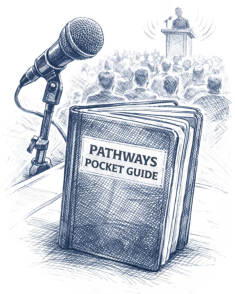
Pocket Guides turn Pathways into a practical tool members can
use in the moment. Instead of relying on memory or searching
through several pages, members can use a compact guide to keep
project reminders, Path details, and next steps right where
they need them.
Helpful Tip
Keep your Pocket Guide next to your computer, in your meeting
folder, or with your club materials. Before each meeting, take
30 seconds to review it. That quick glance can remind you of
your next project, your path focus, or what to do after
completing a speech or role.
|
|
|
|
|
| 37 |
April 8,
2026 |
|
From First Speech to Next Step |
|
|
|
|
|
 |
|
What’s New
In Enhanced Pathways, progress is more visible and structured,
but members can still experience a “now what?” gap after
completing the first project. The first speech often brings
encouragement, applause, and relief. After that, however, the
next requirement may feel less obvious. A member may not yet
know how to launch the next project, when to schedule the next
speech, or which meeting role would best keep progress moving.
Helpful Tip
Before finishing the first project, ask the member to choose
one next date and one next action. That might mean opening the
next project in Base Camp, signing up for a meeting role, or
scheduling the next speech. Progress is much easier when the
next step is named immediately.
|
|
|
|
|
| 36 |
March 23, 2026 |
|
Don’t Forget the Meeting Role Requirements |
|
|
|
|
|
 |
|
What’s New:
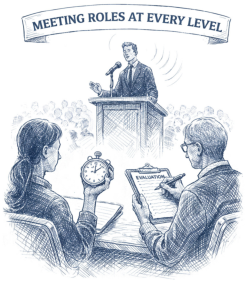
The 2025 Pathways Enhancements require
members to complete specific meeting roles at each level
before completing that level. Roles start with simple ones
like Table Topics speaker and progress to leadership roles
such as Toastmaster of the Day.
Helpful Tip:
Encourage members to schedule their
meeting roles early in the level, not at the end. Waiting
until the last project can delay level completion.
|
|
|
|
|
| 35 |
March 16, 2026 |
|
Vintage Paths and Explorations |
|
|
|
|
|
|
|
What’s New:
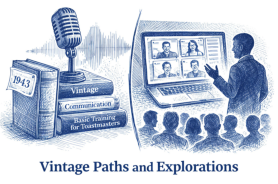
Two new Vintage Paths and the new Explorations format are coming to Pathways, giving members access to classic Toastmasters content and shorter, skill-focused learning options.
Helpful Tip:
Finish Level 1 in your current path, then watch for these new choices if you want either classic manuals or a shorter, targeted learning experience.
|
|
|
|
|
| 34 |
March 10, 2026 |
|
Making Mentors Part of Your Team, Not Just a Requirement |
|
|
|
|
|

|
|
What’s New:
Mentoring expectations are clearer and easier to verify in Enhanced Pathways.
Helpful Tip:
Set recurring mentor check-ins (for example, monthly) and use each one to update progress and plan your next 2–3 Pathways steps.
|
|
|
|
|
| 33 |
March 9, 2026 |
|
Club Climate Through Member Participation |
|
|
|
|
|
|
|
What’s New:
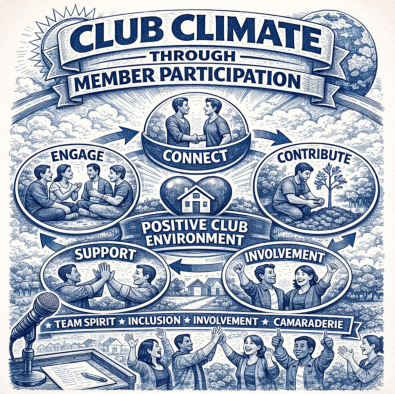
The enhancements are designed to strengthen clubs as well as individual learning by boosting participation and leadership activity.
Helpful Tip:
Create a simple club roster checklist of upcoming member opportunities (roles, series presentations) and invite members to sign up in advance. This increases engagement and helps everyone progress.
|
|
|
|
|
| 32 |
March 2, 2026 |
|
Turning Education Series Presentations into Wins |
|
|
|
|
|

|
|
What’s New:
Instead of completing only Pathways projects, members in Levels 3–5 now complete specific Education Series presentations as required assignments. Because these presentations are short and structured, they are an ideal way to demonstrate competence, support club success, and meet level requirements without creating last-minute stress.
Helpful Tip:
Don’t just pick one. Choose an Education Series presentation that fits an upcoming club moment—officer transition, membership push, contest season, mentoring, or meeting quality. When the topic is timely, your preparation is easier and the impact is bigger.
|
|
|
|
|
| 31 |
February 16, 2026 |
|
Making Meeting Roles Work for You |
|
|
|
|
|

|
|
What’s New:
With every level now requiring specific meeting roles, there’s a chance to deepen your skills and confidence by choosing roles strategically. Instead of fitting roles in when you can, you can use them as a step-by-step skill ladder that supports your progress in Pathways and helps your club run smoothly. Meeting roles are not extra work. They are built-in opportunities to practice leadership, teamwork, and real-time communication—exactly the skills Pathways is designed to develop.
Helpful Tip:
Map out which roles you need in future levels and plan to complete easier ones early so you don’t scramble later. Plan roles the same way you plan speeches: look ahead, schedule early, and build momentum.
|
|
|
|
|
| 30 |
February 15, 2026 |
|
The Successful Club Series |
|
|
|
|
|

|
|
What’s New:
Under the enhanced Pathways program, Successful Club Series presentations can now be used more flexibly as educational assignments when they support member learning and club improvement. This makes it easier for clubs to integrate these proven resources into regular meetings—without adding extra requirements or paperwork. Clubs can focus on strengthening operations while members still gain meaningful Pathways credit.
Helpful Tip:
Choose a Successful Club Series topic that aligns with your club’s current goal—such as improving meeting quality, boosting member engagement, or supporting new officers. Assign the presentation intentionally, then follow it with a short discussion or action step.
|
|
|
|
|
| 29 |
February 3, 2026 |
|
The Better Speaker Series |
|
|
|
|
|

|
|
What’s New:
Under the enhanced Pathways program, Better Speaker Series presentations can be used as educational assignments that support Pathways progress. These focused, skill-based modules allow clubs to improve core speaking skills while keeping meetings engaging and productive—without adding extra projects or administrative complexity.
Helpful Tip:
Use the Better Speaker Series to support newer or rebuilding speakers. Schedule a module before or between Pathways speeches to reinforce fundamentals like organization, delivery, or audience awareness.
|
|
|
|
|
| 28 |
February 2, 2026 |
|
The Leadership Excellence Series |
|
|
|
|
|
|
|
What’s New:
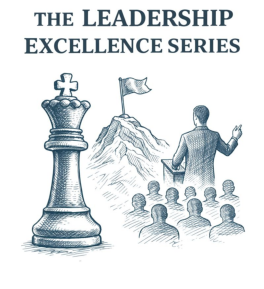
Under the enhanced Pathways program, Leadership Excellence Series presentations can be used as educational assignments that support Pathways progress. These short, focused leadership modules allow clubs to strengthen leadership skills without creating additional complexity. Members gain practical experience while clubs improve meeting quality using ready-made, high-value content.
Helpful Tip:
Use Leadership Excellence Series modules to fill education gaps. If your agenda has extra time or a member is not ready for a full Pathways project, schedule one of these modules.
|
|
|
|
|
| 27 |
January 16, 2026 |
|
The Toastmaster Evaluation |
|
|
|
|
|
|
|
What’s New:
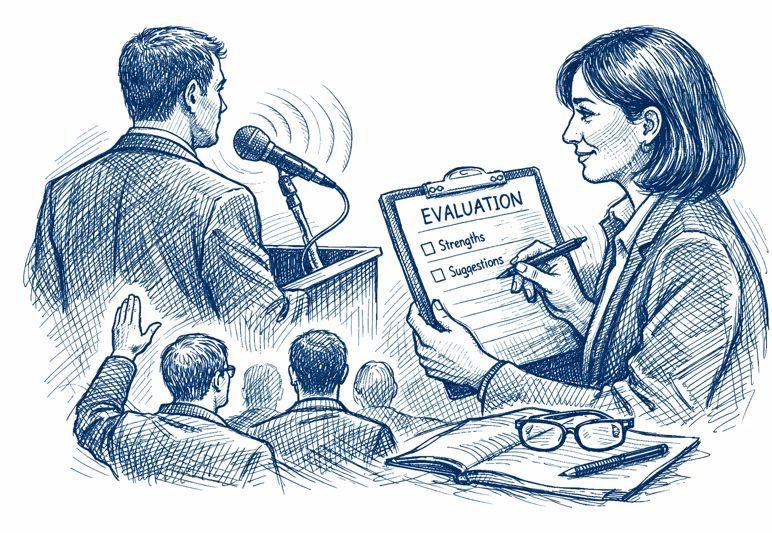
In the enhanced Pathways program, evaluations are more important than ever. They are the primary way members receive personalized, actionable feedback that accelerates progress through every Path and every project. Evaluations are not just comments after a speech. They are structured coaching conversations designed to help each member identify strengths, target improvements, and build confidence one step at a time.
Helpful Tip:
Before your speech, tell your evaluator the one skill you want feedback on. Focused evaluations produce faster growth than general feedback.
|
|
|
|
|
| 26 |
January 15, 2026 |
|
The Dynamic Leadership Path |
|
|
|
|
|

|
|
What’s New:
Dynamic Leadership is one of the six Core Paths in the enhanced Pathways program. It helps members develop skills to lead effectively through conflict, change, and uncertainty, strengthening communication, teamwork, and decision-making under pressure.
Helpful Tip:
When leading a challenging situation, use this quick reset: State the goal → Clarify roles → Agree on the next step.
|
|
|
|
|
| 25 |
January 15, 2026 |
|
The Visionary Communication Path |
|
|
|
|
|

|
|
What’s New:
Visionary Communication is one of the six Core Paths in the enhanced Pathways program. It helps members learn to communicate a clear direction and inspire others by turning big ideas into messages people understand, believe in, and support.
Helpful Tip:
Make your vision easy to follow: Here’s where we are → Here’s where we could be → Here’s the first step.
|
|
|
|
|
| 24 |
January 15, 2026 |
|
The Persuasive Influence Path |
|
|
|
|
|
|
|
What’s New:
Persuasive Influence is one of the six Core Paths in the enhanced Pathways program. It helps members learn how to influence opinions and decisions ethically by using clear structure, credible evidence, and respectful messaging.
Helpful Tip:
Start with common ground: name a value you share with the audience, then show how your idea supports it.
|
|
|
|
|
| 23 |
January 15, 2026 |
|
The Presentation Mastery Path |
|
|
|
|
|
|
|
What’s New:
Presentation Mastery is one of the six Core Paths in the enhanced Pathways program. It builds strong, repeatable speaking fundamentals—structure, delivery, and presence—so members can give consistently clear and confident presentations in any setting.
Helpful Tip:
Focus on one improvement skill per speech—such as opening, vocal variety, or body language. Tell your evaluator what you are practicing so feedback is targeted.
|
|
|
|
|
| 22 |
January 15, 2026 |
|
The Motivational Strategies Path |
|
|
|
|
|
|
|
What’s New:
Motivational Strategies is one of the six Core Paths in the enhanced Pathways program. It teaches members how to deliver speeches that inspire action, shape attitudes, and move audiences toward meaningful change.
Helpful Tip:
Before writing your speech, decide one clear outcome: What do I want the audience to do or believe after I finish?
|
|
|
|
|
| 21 |
January 15, 2026 |
|
The Engaging Humor Path |
|
|
|
|
|

|
|
What’s New:
Engaging Humor is one of the six Core Paths in the enhanced Pathways program. It teaches members how to use audience-appropriate humor to build confidence, strengthen connection, and make messages more memorable—without needing to be a comedian.
Helpful Tip:
Add just one light moment to a speech—a brief story or humorous observation that supports your point. Ask your evaluator if it strengthened your message.
|
|
|
|
|
| 20 |
January 11, 2026 |
|
How Club Officer Roles Supercharge |
|
|
|
|
|
 |
|
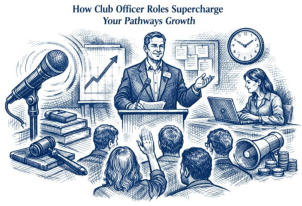
The 2025 Pathways Enhancements place greater emphasis on practical leadership behaviors — supporting others,
coordinating work, and getting results. Officer roles are one of the most direct ways to practice those skills,
week after week, with real people and real outcomes.
Pick one officer responsibility you do regularly (for example: scheduling, onboarding guests,
sending communications, mentoring, or managing finances). After you complete it, write one sentence:
“Here’s the skill I practiced — and how it helped the club.”
Do that once a week for a month, and your Pathways growth becomes obvious (and easy to talk about in interviews, reviews, and leadership conversations).
|
|
|
|
|
| 19 |
January 11, 2026 |
|
Pathways University |
|
|
|
|
|
|
|
What’s New:
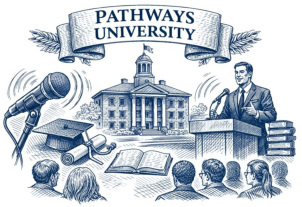
This pointer reframes Pathways complexity using a familiar comparison: university. Pathways only feels complicated when you try to absorb the entire program at once. Treat it like school—one semester (level) and one course (project) at a time—and it becomes clear and doable.
Helpful Tip:
Treat Pathways like university registration: focus on this level and this project. If you feel overwhelmed, ask one simple question: “What is my next required step?”
|
|
|
|
|
| 18 |
January 10, 2026 |
|
Lead to Learn: Officer Roles Accelerate Your Pathways Growth |
|
|
|
|
|
|
|
What’s New:
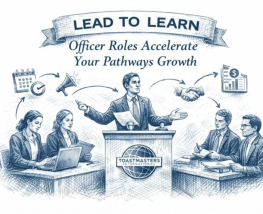
The 2025 Pathways Enhancements place greater emphasis on practical leadership behaviors—supporting others, coordinating work, and getting results. Officer roles are one of the most direct ways to practice those skills, week after week, with real people and real outcomes.
Helpful Tip:
Pick one officer responsibility you do regularly. After you complete it, write a single sentence: “Here’s the skill I practiced—and how it helped the club.”
|
|
|
|
|
| 17 |
January 6, 2026 |
|
Your First Steps as a Toastmaster |
|
|
|
|
|
|
|
What’s New:
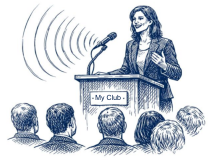
This pointer turns membership active into a simple start-up checklist: sign into My Home, use The Navigator, choose your first Path (free), then work in Base Camp—with mentor and New Member Orientation support built in.
Helpful Tip:
Do only three things first: sign in to My Home, skim The Navigator “Getting Started” section, and ask a club officer for a mentor.
|
|
|
|
|
| 16 |
January 3, 2026 |
|
Pathways Enrollment & Progress Checklist |
|
|
|
|
|
|
|
What’s New:
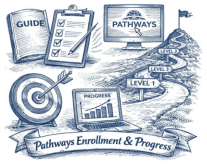
This enhanced Pathways pointer gives you a simple, no-stress checklist to make sure both members and club officers are aligned on Pathways setup and progress tracking. It is designed to remove friction and help you confidently move forward—not add pressure.
Helpful Tip:
You do not have to catch up. Pathways is built so you start from where you are—not from where you think you should be.
|
|
|
|
|
| 15 |
January 1, 2026 |
|
HPL Team Changes |
|
|
|
|
|
|
|
What’s New:
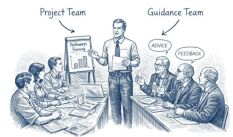
Enhanced Pathways separates the people who do the work (your High Performance Team) from the people who advise and support (a Guidance Team). That keeps projects moving and makes roles clearer.
Helpful Tip:
Build your High Performance Team first (3–5 doers), then add 1–3 advisors as your Guidance Team. Keep them distinct and schedule quick check-ins.
|
|
|
|
|
| 14 |
December 31, 2025 |
|
DTM Project |
|
|
|
|
|
|
|
What’s New:
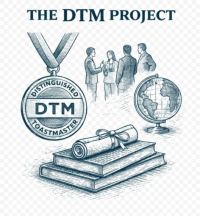
This pointer breaks down the DTM Project into a clear, doable structure: choose a project that benefits an organization, lead a real team, apply an ethical framework, collect 360° feedback, and deliver the two required speeches so your leadership and communication skills are demonstrated in one complete, measurable project.
Helpful Tip:
Before you start, write a one-sentence scope statement and keep it at the top of your project notes.
|
|
|
|
|
| 13 |
December 25, 2025 |
|
Verification Is Now Part of the Design (Not an Afterthought) |
|
|
|
|
|
|
|
What’s New:
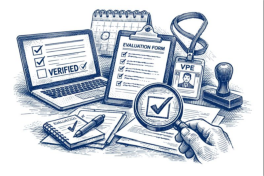
In Enhanced Pathways, verification is no longer a last step you hope gets handled later. It is woven into the learning flow, with clearer prompts and stronger expectations so members and VPEs can confirm completion more consistently.
Helpful Tip:
Keep a simple one-line log for anything that needs verification (date + activity + who observed), then ask for verification within 24–48 hours while it is fresh.
|
|
|
|
|
| 12 |
December 23, 2025 |
|
Mentoring Gets Clearer (and Easier to Verify) |
|
|
|
|
|

|
|
What’s New:
Mentoring expectations are easier to understand in Enhanced Pathways. Projects that involve mentoring are presented more clearly, with better prompts and fewer guess-what-counts moments.
Helpful Tip:
When you start a mentoring activity, jot down the date, who you mentored (or who mentored you), and the purpose in one sentence. Then ask your VPE to verify it right away.
|
|
|
|
|
| 11 |
December 22, 2025 |
|
Evaluations Start Earlier (and Count More) |
|
|
|
|
|
|
|
What’s New:
Evaluation training and evaluation-related requirements show up earlier and more clearly in Enhanced Pathways, so members get quality feedback skills sooner.
Helpful Tip:
If you are unsure what qualifies, ask your VPE for a simple evaluation checklist and start logging evaluations right away.
|
|
|
|
|
| 10 |
December 17, 2025 |
|
The Hidden Impact of the Enhancements |
|
|
|
|
|

|
|
What’s New:
The 2025 Enhancements strengthen clubs as much as they help members. Clearer requirements and easier tracking lead to smoother meetings and better role participation. Education Series presentations now built into projects give clubs more training without extra planning.
Helpful Tip:
Schedule needed roles or Education Series presentations into upcoming agendas so member progress and club success reinforce each other.
|
|
|
|
|
| 9 |
December 17, 2025 |
|
Base Camp Just Got Smarter |
|
|
|
|
|

|
|
What’s New:
Base Camp now does more of the work for you. Cleaner dashboards show what is done, what is next, and what still needs attention. Next Step prompts guide you through each project, evaluation forms launch automatically, and unnecessary clicks have been removed.
Helpful Tip:
Before each meeting, open your Base Camp dashboard and check for Next Step prompts.
|
|
|
|
|
| 8 |
December 14, 2025 |
|
Tracking Your Progress |
|
|
|
|
|
|
|
What’s New:
Base Camp now tracks required roles, completed projects, and level progress more reliably—with clearer dashboards and fewer steps. Members can instantly see what is done, what is next, and what needs verification.
Helpful Tip:
Check your Completed and In Progress lists monthly. It helps you avoid missing simple requirements like evaluations or meeting roles.
|
|
|
|
|
| 7 |
December 12, 2025 |
|
Meeting Roles that Count |
|
|
|
|
|
|
|
What’s New:
Some meeting roles you perform outside your own club can now count toward your Path. This includes roles at other Toastmasters clubs, corporate clubs, and online clubs—as long as the role is verified by an officer.
Helpful Tip:
If you visit other clubs, keep a simple log of the roles you perform and have the VPE confirm them.
|
|
|
|
|
| 6 |
December 11, 2025 |
|
Toastmasters Education Series |
|
|
|
|
|

|
|
What’s New:
Several Enhanced Path projects now include presentations from the Toastmasters Education Series, such as Moments of Truth, Mentoring, or Evaluations. These come with professionally prepared scripts and slides, reducing prep time and increasing confidence.
Helpful Tip:
Ask your VPE to schedule one of these presentations—you will help the club and complete a project.
|
|
|
|
|
| 5 |
December 8, 2025 |
|
Existing Paths |
|
|
|
|
|

|
|
What’s New:
The 11 familiar Toastmasters paths remain, but nearly every one was refreshed. Requirements were clarified, project order improved, leadership elements strengthened, and meeting experience expanded. Paths now feel more balanced and easier to complete.
Helpful Tip:
If you are already in a path, do not switch—you automatically receive the enhanced version of your current path.
|
|
|
|
|
| 4 |
December 6, 2025 |
|
Specific Meeting Roles |
|
|
|
|
|
|
|
What’s New:
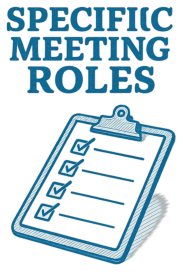
Enhanced Pathways now includes 21 required meeting roles, compared to only 3 in the pre-enhancements version. Roles include Timer, Ah-Counter, Evaluator, Toastmaster of the Day, Table Topics Speaker, and more—spread across levels so members grow steadily.
Helpful Tip:
Print or save a list of the roles in your path—checking them off helps you see your progress faster.
|
|
|
|
|
| 3 |
December 1, 2025 |
|
Meeting Roles |
|
|
|
|
|

|
|
What’s New:
Meeting roles are now required in every level, not just Level 3, and Education Series presentations are built into Pathways as members progress.
Helpful Tip:
When you choose your next project, check which meeting roles or Education Series presentations can be completed during normal club meetings—then schedule one immediately.
|
|
|
|
|
| 2 |
November 29, 2025 |
|
What Changed? |
|
|
|
|
|

|
|
What’s New:
In October 2025, Pathways did not just get updated—it was expanded: more meeting roles count, and Education Series speeches are built into Paths so club participation directly supports progress.
Helpful Tip:
If you are unsure where to start, pick one role you already do and confirm whether it now counts.
|
|
|
|
|
| 1 |
October 30, 2025 |
|
Enhancements Overview |
|
|
|
|
|

|
|
What’s New:
Every level now includes a clear section showing required meeting roles and how they support your learning. Several paths also offer more chances to complete roles and deliver educational presentations. Levels 3–5 now introduce the Successful Club Series, Better Speaker Series, and Leadership Excellence Series, giving members practical leadership and communication experience.
Helpful Tip:
Review your level’s new Roles & Presentations section—you may be able to complete a Path requirement while helping your club.
|
|
|
|
Visit My Pathways Website
|
|
|
my-pathways.info
|
|

|
|
|
|
|
|