
|
Pathways Pointer – Number 38 – April 23, 2026 |
Pathways Help You Can Hold
|
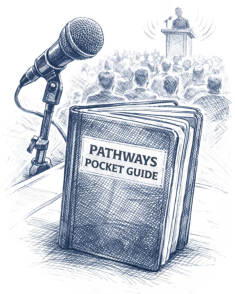
Pocket Guides give members a simple, quick-reference way to stay on track in Pathways without stopping to search through multiple screens. They put key information close at hand so members can focus on their next step instead of trying to remember where to find it. |
||||||||||
|
A small guide can make Pathways feel easier, clearer, and more manageable—especially before meetings, during training, or when a member is ready to launch the next project. |
||||||||||
Helpful TipKeep your Pocket Guide next to your computer, in your meeting folder, or with your club materials. Before each meeting, take 30 seconds to review it. That quick glance can remind you of your next project, your path focus, or what to do after completing a speech or role. |
||||||||||
What’s NewPocket Guides turn Pathways into a practical tool members can use in the moment. Instead of relying on memory or searching through several pages, members can use a compact guide to keep project reminders, Path details, and next steps right where they need them. |
||||||||||
|
That matters because many members do better when information is visible, simple, and easy to review. A Pocket Guide supports steady progress by making Pathways feel less overwhelming and more approachable. It is especially helpful for new members, busy members, and anyone who wants a clearer sense of what to do next. |
||||||||||
Why Pocket Guides Help
|
||||||||||
| Examples of Useful Pocket Guides | ||||||||||
|
||||||||||
How to Use Pocket Guides in TrainingPocket Guides work especially well in new member Pathways training. Introduce the guide at the beginning as a simple companion tool. During the live demonstration, connect each screen to a step on the guide. This helps members follow along without feeling that they must remember everything at once. |
||||||||||
|
At the end of the session, remind members that success in Pathways does not require mastering the entire system immediately. It begins with knowing the next step. Attaching the Pocket Guide to a follow-up email also gives members something practical to use after the training is over. |
||||||||||
| Bottom Line | ||||||||||
|
Pocket Guides make Pathways easier by turning important information into a compact tool members can use right away. The best strategy is simple: keep the guide nearby, review it before meetings, and let it help you take the next step with confidence. |
||||||||||
QUICK REMINDERKeep your Pocket Guide where you will see it. Review it before meetings. Use it to confirm your next project or role. A small tool can make Pathways much easier to manage. |
||||||||||
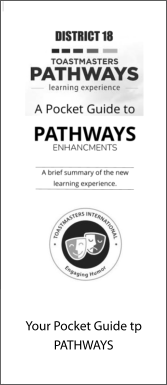
ResourceVisit the Pocket Guides page to explore printable guides designed to simplify Pathways and give members quick access to helpful information. |
||||||||||
 | ||||||||||